
The first article in this series looked at the size of family YouTube, where the money really comes from and how a channel can grow into something much larger than a collection of videos. If that piece was the why, this one is the how.
Starting a family YouTube channel in the UK in 2026 is technically very easy. That is both the good news and the trap.
You can record a perfectly watchable video on the phone already in your pocket. You can edit it without paying for professional software. You can create the channel in an evening. None of those things answers the harder questions: what are you actually making, who is it for, does everyone appearing in it genuinely want to be there, and what rules apply when children are involved?
Those questions matter considerably more than whether your camera shoots 4K.
If you want the bigger picture before getting practical, read The Rise of the Family YouTube Channel: Where the Money Really Comes From. This guide starts where that one finishes.
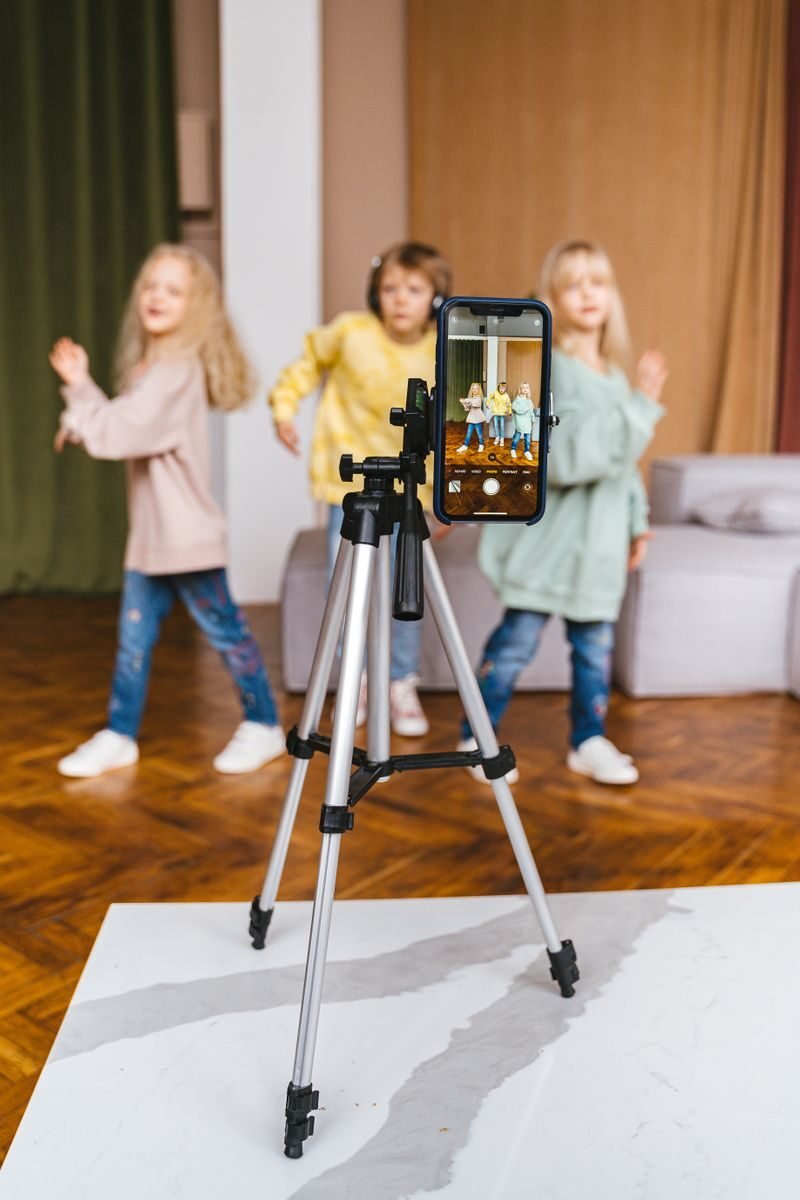
The easiest way to waste money on a new YouTube channel is to buy equipment before you know what the channel is.
A new camera feels productive. So does a ring light, a microphone and a shelf full of props. They are visible evidence that you have started. Unfortunately, none of them gives a stranger a reason to click your second video after watching the first.
Start with the format instead.
“Family content” is not really a concept. It is a category. A format is more specific: a parent and child trying unfamiliar foods, siblings taking on physical challenges, a family building ridiculous things from cheap materials, a parent and child gaming together, or a family testing days out from the point of view of other parents.
The narrower the starting idea, the easier it is for a new viewer to understand what they are being offered. It also gives the channel a more consistent subject and structure while you work out what people respond to.
There is another question that matters more than format, and family channels should treat it as non-negotiable: does the child actually want to do this?
A child enjoying an activity while a camera happens to be present is very different from a child being expected to perform because the upload schedule says Tuesday. If somebody becomes uncomfortable, bored or simply says they do not want to be filmed, the shoot stops. A successful video is not worth teaching a child that a camera outranks their boundaries.
That sounds obvious. Once views, brand deals or an audience are involved, it becomes surprisingly easy for obvious things to get negotiated away.
The camera you already own is probably good enough.
Modern smartphones are comfortably capable of producing clear, stable YouTube footage. A dedicated camera can absolutely improve image quality later, but it is a poor first purchase if the channel has not yet proved that anybody in the family enjoys making it.
The useful starter kit is short:
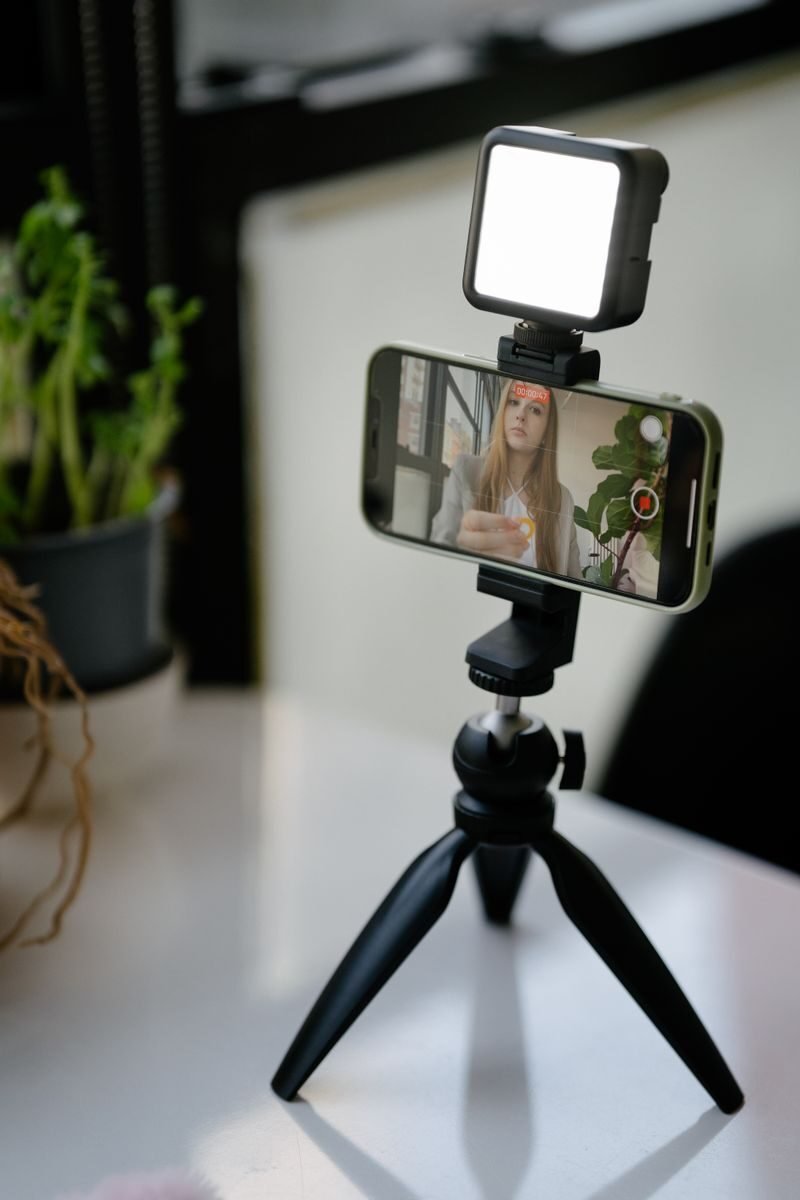
Phone or camera: use what you already own. Learn framing, exposure and where the light in your house actually looks good before buying another camera.
Microphone: if dialogue matters, audio is usually the first upgrade worth making. A simple wired or wireless lavalier microphone can remove a surprising amount of the “we filmed this from the other side of the kitchen” sound.
Light: start with windows. Put the main light source in front of or slightly to the side of the person you are filming rather than directly behind them. A small LED panel becomes useful when British weather inevitably decides your filming schedule was too optimistic.
Tripod: cheap, dull and disproportionately useful. Static shots immediately become easier to watch and you stop recruiting another family member to stand perfectly still for twenty minutes.
Editing software: CapCut and DaVinci Resolve both offer free options. Use whichever one you can learn quickly enough that editing does not become the reason the channel dies.
You do not need all of this on day one. A phone supported safely on something that is not going to fall onto a child is a perfectly respectable beginning.
There is no format that automatically performs well, and anyone promising one has probably found a more reliable business model selling advice than making family videos.
What you can do is look at formats that already make sense for family viewing and adapt them around something your own family genuinely enjoys.
Challenges give a video a built-in story. There is a rule, an objective and an unanswered question. Who finishes first? Who lasts longest? Can the family actually do it?
That structure is useful, but the challenge itself still needs to be safe, age-appropriate and something the children want to take part in. “Extreme” is not a production requirement.
Roleplay works particularly well with younger children because the activity can be the entertainment rather than a child having to deliver lines to camera. Props, costumes and a simple premise can create a lot from very little.
It also gives you a reason to change environments later. A vintage diner, unusual house or large open room can become part of the story rather than simply a prettier wall.
A parent and child playing Roblox, Minecraft or another game together has a different appeal from a solo gaming channel because the relationship is part of the content. The useful question is not simply which game is popular, but what your version adds: competition, humour, problem-solving, teaching a parent to play badly, or the child explaining a world the adult clearly does not understand.
Gymnastics, dance, football, martial arts, crafts, cooking and building projects all give the channel something to be about beyond “here is our family again”. The activity provides natural progress, goals and episode ideas.
Experiments, museum visits, wildlife, practical skills and “can we learn this in a day?” formats can appeal to children while still giving parents a reason to choose the video. The trick is making the learning part of the entertainment rather than disguising homework with a thumbnail.
A family vlog is not automatically Made for Kids simply because children appear in it. YouTube itself gives the example of a family vlog telling other parents about an amusement-park visit as content that may be general audience rather than child-directed. Audience intent matters, which becomes important in the rules section below.
Recreating a scene, using a famous song or building videos around major entertainment franchises can be tempting because the audience already recognises them. It also creates copyright risk. Do not build the channel around commercial music or copyrighted footage until you understand YouTube’s copyright and Content ID systems.
Ignore anybody giving you a magic number of uploads before YouTube “notices” you.
There is no reliable rule that growth starts on video 20, 30 or 40, and YouTube does not promise to reward a channel merely for publishing every Tuesday.
Consistency is useful for a more boring reason. Making videos repeatedly teaches you what takes too long, what your children enjoy, what viewers respond to and whether the format has enough ideas in it to survive more than a month.
Pick a schedule your real family can sustain. One good video every week or fortnight is more useful than announcing three uploads a week and discovering by week four that everyone now hates YouTube.
This is where the original version of this guide needed the most correction.
There is no single “family YouTube law”. What you are dealing with is a mixture of YouTube platform rules, US children’s privacy rules that YouTube applies to creators globally, UK child-performance law that can apply in particular circumstances, advertising rules and ordinary safeguarding/privacy decisions.
They are related, but they are not the same thing.
Every creator must tell YouTube whether content is Made for Kids.
YouTube says content is likely to be Made for Kids when children are the primary audience, or when children are not the primary audience but the content is still directed at them based on factors such as child actors, toys, games, songs, stories, language and subject matter.
Equally, family-friendly is not the same as Made for Kids. A family vlog made for parents can be general-audience content even though children appear in it.
The important correction is this: there is no separate “mixed audience” button that lets a creator keep the benefits of general-audience content while also targeting children. Under YouTube’s own guidance, mixed-audience content is a type of child-directed content and can therefore be Made for Kids.
If your videos are set as Made for Kids, YouTube restricts features including comments, notifications, cards and end screens, memberships, live chat and personalised advertising. Contextual advertising can still appear.
Do not guess your way around the designation because a particular setting pays better. Set the audience according to what the content actually is. The FTC’s Disney case is a useful reminder of the stakes: Disney agreed to pay $10 million after allegations that some child-directed YouTube videos were not properly labelled Made for Kids.
For a family channel involving younger children, the adult should own and manage the publishing account.
YouTube’s supervised accounts for children under 13, or the relevant age in their country, are designed primarily for a parent-controlled viewing experience. YouTube’s own help pages warn that supervised experiences may restrict channel creation and video uploads. For a family channel built around younger children, the safer and simpler structure is for the adult to own and manage the publishing account.
That structure keeps uploads, brand communication, account security, money and decisions about what personal information becomes public with the adult. The child participates in making content only to the extent that they actually want to.
There is also a major UK change on the horizon. The Government announced in 2026 that it intends to stop social-media companies offering their services to under-16s from spring 2027, using a model expected to include YouTube. Final regulations and exemptions still matter, so do not describe that future regime as settled law yet. For somebody starting now, the practical message is simple: do not build a business plan around an under-16 independently owning and operating the channel.
A Department for Education answer to Parliament in 2022 explains the current distinction unusually clearly.
A child performance licence can be required for live broadcasts, including internet livestreaming, and for performances recorded with a view to broadcast or public exhibition. However, the Department said this does not extend to family or self-generated user content where a child or family records themselves and shares it online.
Then comes the important bit: sponsored third-party content may be different and needs to be considered case by case.
So “our family records our own YouTube video” and “a brand pays for a child to perform in a production” should not automatically be treated as the same legal situation. Livestreaming creates another distinction again.
If commercial arrangements become substantial, check the circumstances with the relevant local authority or get proper legal advice. A blog post is useful for spotting the issue, not for making licensing decisions for a production it has never seen.
The original research treated the ICO’s Children’s Code as though it directly told family creators what they may publish about their own children. That is not what the Code is for.
The Children’s Code applies to providers of online services likely to be accessed by children, including social-media and streaming services. It is important context for the environment YouTube operates in, but it is not a substitute for the choices a parent makes about a child’s privacy.
Those choices still matter enormously.
Think very carefully before publishing a child’s school, uniform badge, home address, regular route, precise daily routine, medical information, embarrassing incidents or real-time location. Also think beyond today’s upload. A five-year-old cannot meaningfully understand what it feels like to have a searchable archive of their childhood when they are fifteen.
A useful house rule is that some family life simply stays off camera. Another is that a child can ask for an old video to come down later without having to argue with the analytics dashboard.
If a brand pays you, gives you products or controls the content in a way that makes the post advertising, the commercial relationship needs to be clear.
The ASA says influencer advertising must be obviously identifiable. Content directed at children under 12 can require enhanced disclosure because younger children may not recognise integrated marketing even when adults would.
Do not rely on a tiny #gifted buried after twenty hashtags. As the channel becomes commercial, learn the ASA/CAP rules before the first paid campaign rather than after the first complaint.
The original article said meaningful revenue would take at least 18 to 24 months. Nobody can responsibly promise that timeframe in either direction.
Some channels never monetise. Some reach the thresholds quickly. The useful facts are the thresholds themselves.
As of 2026, the expanded YouTube Partner Programme offers earlier access to certain fan-funding and Shopping features in eligible countries at 500 subscribers, three public uploads in the previous 90 days, and either 3,000 qualified public watch hours in the previous 12 months or 3 million qualified Shorts views in 90 days.
For advertising revenue and YouTube Premium revenue sharing, the current higher threshold is 1,000 subscribers plus either 4,000 qualified public watch hours in 12 months or 10 million qualified public Shorts views in 90 days.
There is an important complication for this particular niche. Many fan-funding and engagement features are unavailable on Made for Kids content, so reaching a general YPP threshold does not mean every monetisation feature will be available to every family channel.
And there is already a future change announced. YouTube says that from February 2027, new creators will need 8,000 qualified watch hours in the previous 365 days or 20 million qualified Shorts views in 90 days, alongside 1,000 subscribers, for the ads and Premium revenue-sharing tier. The lower fan-funding threshold is not changing in that announcement.
If you publish this article much later than 2026, re-check the thresholds rather than letting an old number quietly become “internet fact” for another five years.
Do not plan a new channel using a generic CPM number copied from somebody else’s screenshot.
Made for Kids content does not receive personalised advertising, which YouTube itself says may reduce revenue. Actual earnings vary by audience, geography, format, season, advertiser demand and other factors. That makes a universal “£X per thousand views” figure more confident than useful.
Brand deals do not unlock at a magical subscriber number either. A small channel with a clearly defined audience and strong engagement can be commercially useful; a larger channel with a vague audience can be less so. If children feature in sponsored content, the licensing and advertising points above become more important, not less.
Merchandise is the same. Do it when there is demonstrable demand and the economics make sense, not because a blog told you 50,000 subscribers is the ceremonial moment when everybody must print hoodies.
The sensible order is audience first, then business model.
Shorts can be useful for testing hooks, introducing a channel to new viewers and repurposing moments from longer videos. Long-form gives you more room for story and relationship. There is no need to declare one format morally superior to the other.
What YouTube does care about for monetisation is originality and authenticity. Its monetisation policy specifically warns against mass-produced, generic and repetitive content, including AI-generated content that looks templated and lacks original value.
That does not mean using AI for ideas, captions, editing help or production tasks automatically disqualifies a channel. YouTube has explicitly said creators can use AI tools. The problem is the conveyor belt, not the screwdriver.
For a family channel, this is good news. The thing an automated content farm cannot manufacture particularly well is a genuine relationship between real people doing something they actually enjoy.
Start at home.
That is still the best advice for a new family channel. It costs nothing extra, the children know the environment and you learn what the format needs before paying to solve problems you may not actually have.
Once a format is working, a different space can become a genuine creative tool.
A roleplay may need a room that feels unlike home. A sports challenge may need safe open floor space. A craft or food episode may need a particular kitchen setup. A series of videos shot in one afternoon may benefit from several visibly different backgrounds.
Creator Spots lists characterful spaces in Thanet that creators can book or enquire about by the hour, without a platform fee charged to creators. You can browse available spots in Thanet and see how the booking process works for creators before choosing anything.
For a wider comparison of bars, studios, houses and other spaces, the guide to the best content creator spaces in Margate is the more useful starting point than picking a venue from one paragraph in this article.
There is one extra condition for family content: do not assume a space suitable for an adult photoshoot is automatically suitable for children.
Before booking, tell the host that children will be present. Confirm access, supervision requirements, stairs, balconies, breakables, working equipment, restricted areas, toilets, noise and anything else relevant to the activity. If the location is public rather than privately booked, check the landowner or local rules rather than assuming “public” means unrestricted commercial filming.
The best filming location is not the one with the most dramatic wallpaper. It is the one that gives you the shot you need without turning basic child safety into an interesting production challenge.

The practical checklist is fairly short:
Starting a family YouTube channel in the UK is easy in the narrow technical sense. Building one responsibly is the actual job.
You need an idea people understand, a family that still enjoys making it when the novelty wears off, and enough patience to improve without treating every quiet upload as evidence that the algorithm has personally declared war on you.
If you want the commercial context, read The Rise of the Family YouTube Channel: Where the Money Really Comes From.
If you already know what you want to make and simply need somewhere different to make it, browse the spaces currently available through Creator Spots.
The phone is probably good enough.
The format needs work.
And if the child says they are done for the day, you are done for the day.